
Application Facelifts
Not every aging application needs to be rebuilt from scratch. When the backend logic is sound and the business processes work, the highest-value intervention is often a disciplined UI/UX modernization — replacing a fragmented, dated front end with a unified, modern experience without touching what runs underneath.

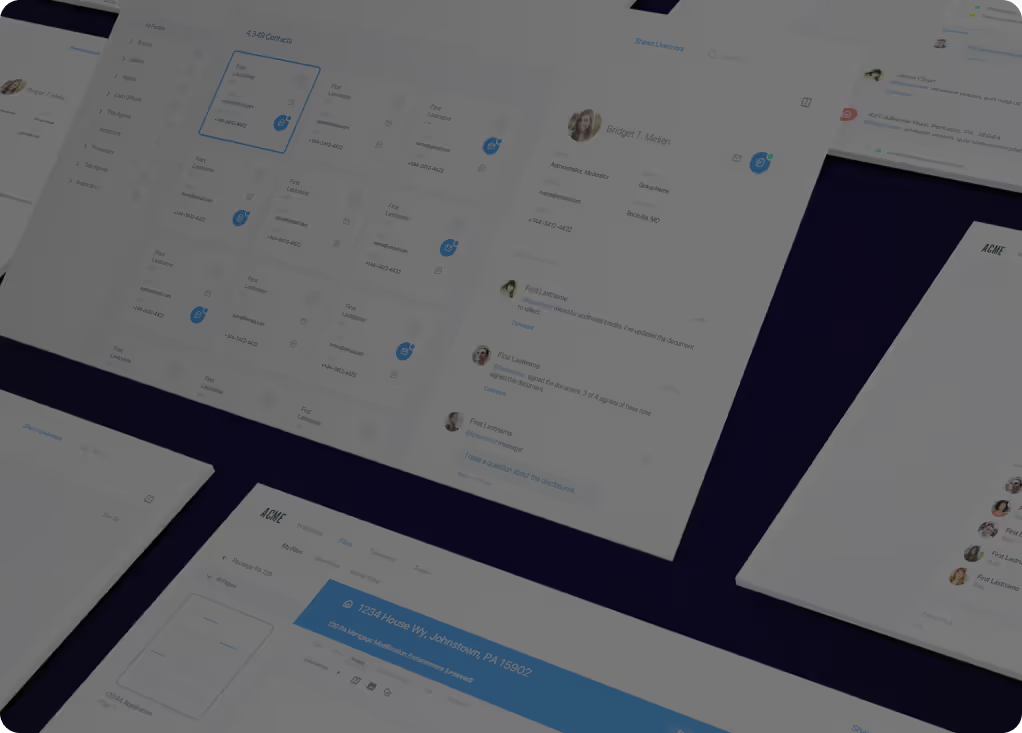
Multiple Windows desktop apps unified into one modern web application
At First American Financial — the world's largest title insurance company at the time of the engagement — the challenge was consolidating multiple legacy Windows desktop applications into a single, unified modern web application. The business logic embedded in those applications worked. The user experience did not: fragmented interfaces, inconsistent patterns, and a desktop-only form factor that could not serve a workforce that had moved to distributed and mobile operations.
The work involved reimagining the UI architecture from desktop to web — consistent design language, unified navigation, and a component system that could be maintained by a single team across the full application suite. The backend integration layer preserved the existing business logic while the frontend was rebuilt around it. The result was a modern enterprise web application that the company could actually evolve.
What a modernized enterprise interface looks like
Application facelifts replace dated, fragmented interfaces with modern, cohesive experiences — fast, responsive, and built on a design system that scales. Below are examples of the kind of UI work this practice produces.
Reporting dashboard — light theme
Enterprise dashboard — dark theme
Workflow tracking tool — light theme
Card-based data management — dark theme
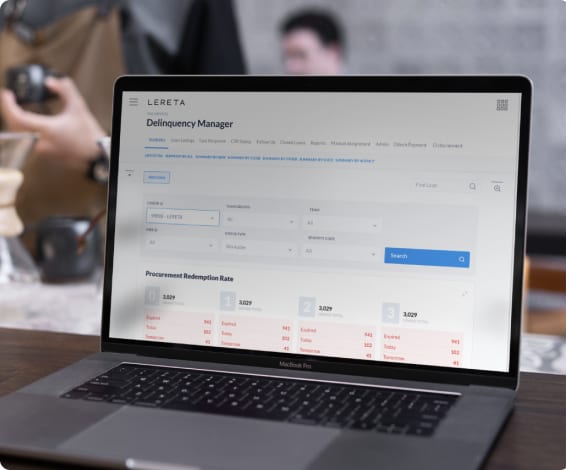
Enterprise admin interfaces rebuilt for a $18B-volume platform
As part of the broader LERETA modernization program, the frontend interfaces for the property tax processing administration suite were redesigned from the ground up. Delinquency management, tax cycle management, contract administration, and the reporting surfaces that ops teams used daily — rebuilt with consistent design patterns, modern web architecture, and the usability improvements that reduce training time and support costs.
The constraint in enterprise facelift work is that the business keeps running. Rollout was phased by workflow area, with the new interface running alongside the old until each module was validated. That approach — no big-bang cutovers, no productivity cliffs — is what makes facelift programs practical at scale.
The pattern was first seen in production at CloudVirga
At CloudVirga — the Irvine mortgage SaaS company building a front-end-heavy loan-origination platform on AngularJS — the engineering team had built something unusual. The framework underneath the product was predefined with fields and components for every user-experience element a mortgage workflow would ever need. Coming in as solution architect and senior developer on the loan-app division, what stood out was not the platform's polish but the discipline of the framework underneath it: every screen reused the same primitives, every form rendered from the same component library, and new workflows could be assembled in days because the structural decisions had already been made.
A few years later, that pattern became CleenUI — a production-proven, full-stack reusable codebase footprint that covers the fifteen most common application areas (security, user management, content management, and the rest) so the work of building enterprise applications starts from structure rather than from a blank repository. CloudVirga is where the discipline was first observed in the wild. CleenUI is the version of that discipline now available to teams who do not have the years to build their own.
The code architecture that the modernized frontend lands on
Application facelifts replace the front end while preserving the logic running beneath it — but the new frontend needs a structured home. CleenUI is a production-proven, full-stack codebase footprint purpose-built to provide that foundation: enterprise-grade, AI-code-agent-compatible, and designed to accelerate frontend modernization programs without trading architectural discipline for delivery speed.
Six dimensions of an application facelift

UX Audit & Research
A structured review of current UI patterns — navigation, information architecture, workflow friction points, and the usability gaps that drive support costs and slow adoption — before a line of design work begins.

Design System Creation
A component library and visual design language that unifies fragmented UI patterns across an application suite — giving the organization a maintainable foundation for all future frontend work.

Frontend Component Architecture
The technical architecture for the modernized frontend — framework selection, component structure, state management, and the integration layer that connects the new UI to existing backend services without requiring a backend rewrite.

Responsive & Accessible Web
Multi-device layout design and WCAG-compliant accessibility implementation — converting desktop-only applications to responsive web experiences that meet modern user expectations and regulatory accessibility requirements.

Performance Optimization
Frontend performance work — bundle optimization, lazy loading, caching strategy, and the rendering patterns that convert slow page loads into the fast, responsive experience users expect from modern enterprise software.

Change Management & Adoption
Rollout planning, user training, and the phased adoption strategy that transitions an organization from the old UI to the new one without the productivity drop that abrupt changes cause.
What Shawn Livermore was able to accomplish in redeveloping our mailing systems logic was absolutely amazing.


Modern UI without the full rebuild
Application facelift leadership — from First American Financial's desktop-to-web unification to LERETA's enterprise admin redesign. Available fractionally at the depth your program requires.
